Getting Started
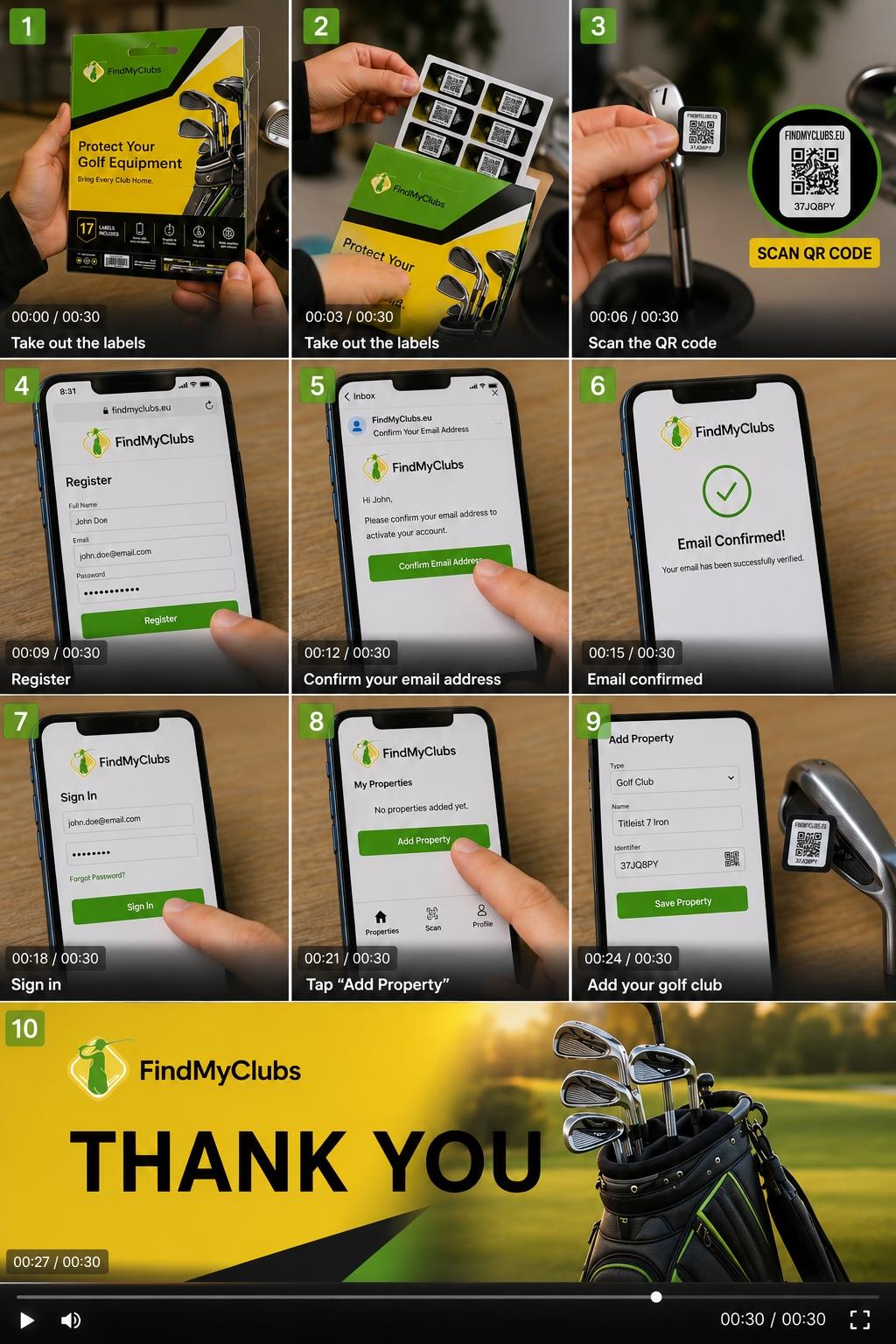
Set up in 5 minutes. Protected for 5 years.
Step 1 — Stick the labels on
-
Clubs: Small label on the shaft, just below the grip, upright so the QR code is easy to scan.
-
Bag: Large label on an outer surface that stays visible when the bag is parked.
-
Trolley: Large label on the frame near the handle.
-
Rangefinder: Small or large label on a suitable place.
Tip for best adhesion: Clean and dry the surface first. Avoid grooved or textured areas. Press firmly for a few seconds.
Step 2 — Scan and register
Point your phone camera at any label and open the link.
-
✓
Create your free account (first scan only).
- Register
- Confirm e-mail
- Sign-in
- Add property
- ✓ Add a short description of the item — e.g., "TaylorMade PW" or "blue Motocaddy trolley".
- ✓ Repeat for each label. Every scanned label is added to your account automatically.
No app needed. Works with any smartphone.
Step 3 — Choose what a finder sees
You decide, per your preference:
- ✓ Phone number — finders can call or text you directly. Fastest way to get your gear back.
- ✓ Email — finders can email you.
- ✓ Nickname — finder know to whom to talk
- ✓ Country — gives very often a hint which language to use
- ✓ Nothing — you stay anonymous. We forward the finder's message to your email and you decide how to reply.
You can change this — and your contact details — anytime by logging in. No need to replace any labels.
✓ Done — test it!
Scan one of your labels. If your item description appears, you're protected.
Found someone's equipment?
Scan the QR code on the label, or enter the code ID (printed below the QR code) in the Finder box at the top of this page. Thank you — golfers like you make this work.
Questions?
See the FAQ or contact us.